Add Manufacturers Names:
Adding your company logo or image is the first step to branding your store. We suggest that you experiment with the size of the image to determine the best fit.
Add Manufacturers Names:
|
1 |
Click Catalog tab along the top, followed by the Manufacturers submenu option. |
|
2 |
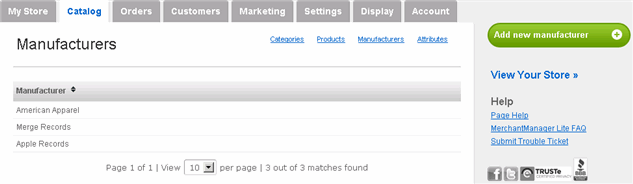
The Manufacturers page appears:
While adding the names of the manufacturers of your products is not required, some customers may prefer to know this information when viewing a product. |
|
3 |
To add a manufacturer name, click Add new manufacturer on the right side. |
|
4 |
On the subsequent page, enter the name and click Save. |
|
5 |
To sort the listing of the manufacturers, click the up/down arrow in the Manufacturer header. |
|
6 |
To associate a product to a manufacturer, proceed to Manage Products. |