To view and print an invoice:
To view and print an invoice:
|
1 |
Click the My Account tab in SiteControl. |
|
2 |
Scroll down on the My Account Overview page and click Orders and Billing. |
|
3 |
The Orders/Billing screen appears. Scroll down and click Invoice History. |
|
4 |
A screen appears with your invoice history. Select a Start Date and End Date for the period of time for which you want to view invoices. |
|
5 |
In this example, 04/09/2007 is the Start date and 05/09/2007 is the End date. Click Find. A page appears listing the invoices between 04/09/2007 and 05/09/2007.
|
|
6 |
Click the Invoice Number to see your invoice details. In this example, the invoice number (SO-3481) is clicked. |
|
7 |
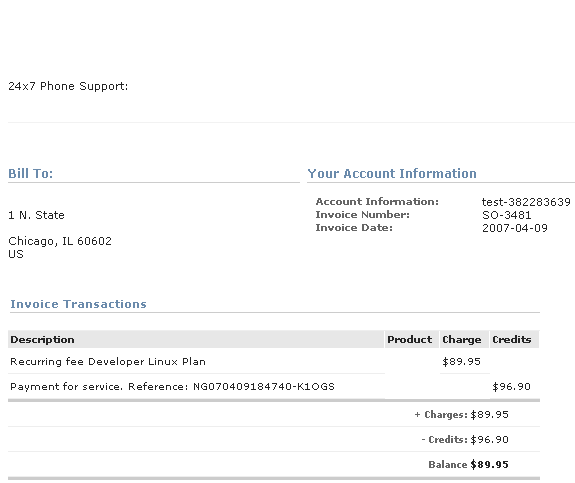
The invoice (SO-3481) appears. You can now print your invoice for your own records.
|