View & Edit Customer Info:
Customers that register at your store are provided their own account. You can manually add new customers, search for customers, edit their contact information and view their order history. Please note that customers that choose to checkout as a guest without registering will appear only in the Orders tab, not in the Customers tab.
View & Edit Customer Info:
|
1 |
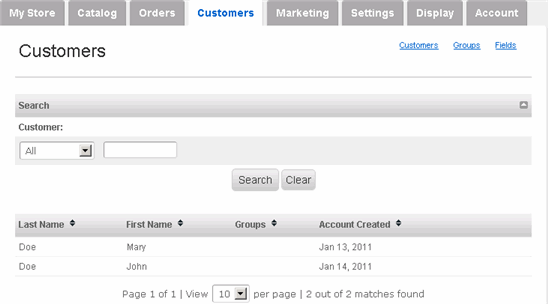
Click Customers tab along the top. |
|
2 |
On the Customers page, you can search for customers and view a list of all of your customers.
|
|
3 |
To view and edit the details of a customer, hover your mouse over the appropriate customer and click its edit link (click delete to delete the customer). The details page displays Contact & Address Information, Assigned Groups and Order History. |
|
4 |
To manually add a new customer, click Add new customer on the right side, enter his/her information, and click Save. |