1
Locate the DataProtect program icon and double-click it to view the interface.
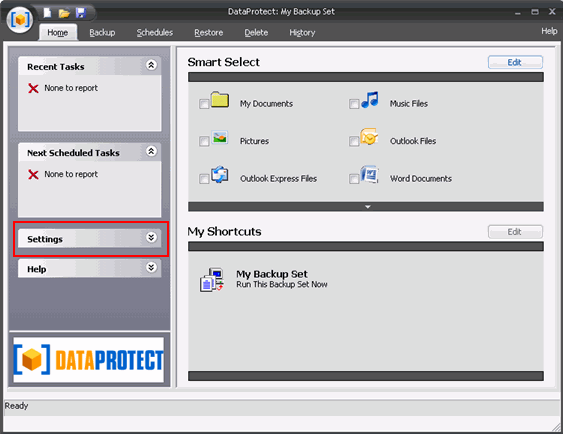
Click the Settings bar on the left side of the interface, and then click Destination underneath it.
2
On the Destination page,
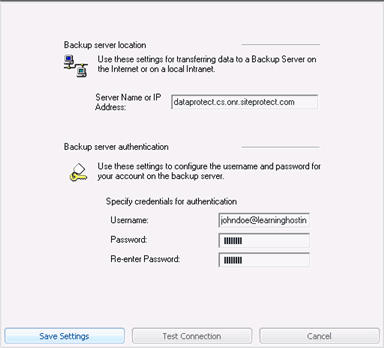
the Server Name field is pre-populated (please do not change it) so just enter the user name and password you selected during the DataProtect order process.
3
Click Save Settings.
4
On the same page, click Test Connection to verify that you used the correct settings.
