To Print Invoice and Packing Slips:
To Print Invoice and Packing Slips:
|
1 |
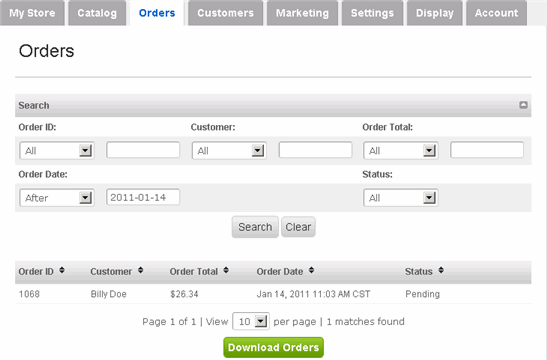
Click Orders tab along the top. |
|
2 |
The Orders page allows you to view all of your orders.
In order to print an invoice or packing slip, view the details of an order. |
|
3 |
To view the details of an order, hover your mouse over the appropriate order and click its view link (click delete to delete the order). |
|
4 |
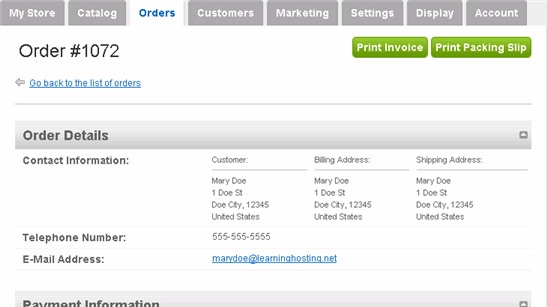
At the upper-right side of the page, you see two green buttons: Print Invoice and Print Packing Slip. Both options appear as a PDF document, which you can then print on your computer.
The only difference between the two is that the Packing Slip does not display the price information. |