|
|
Currently, the only supported browser is Microsoft Internet Explorer (IE) on the Windows platform. |
Cloud Drive is an online storage tool that enables you to access files from any Internet-accessible location with only a browser. By using the provided software installed on your computer, upload to a Cloud Drive files you wish to access from multiple locations or computers. Cloud Drives are available in three capacities: 1 GB, 5 GB or 50 GB. Depending on your plan, the 1 GB option may be included for free.
|
|
Currently, the only supported browser is Microsoft Internet Explorer (IE) on the Windows platform. |
Activate Cloud Drive
|
1 |
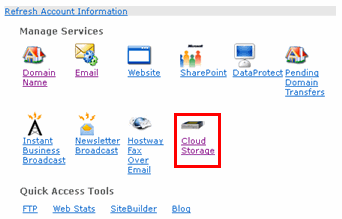
Log in to SiteControl and click Cloud Storage.
|
|
2 |
In the subsequent Cloud Storage home page, click Cloud Drive. |
|
3 |
On the Cloud Storage overview page, click Purchase Cloud Drive. |
|
4 |
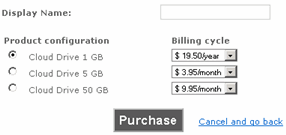
In the Display Name field, enter a name for this drive.
|
|
5 |
Under Product Configuration, select the desired drive capacity: 1, 5 or 50 GB. |
|
6 |
Select a Billing cycle. |
|
7 |
Click Purchase. |
|
8 |
Click Purchase Now to confirm. |
|
9 |
On the subsequent confirmation page, click Back to Overview. |
|
10 |
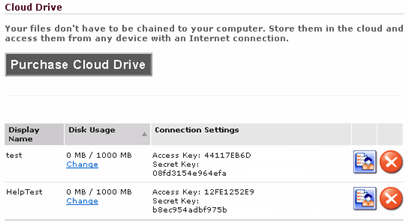
On the overview page, a list of all drives appear.
|