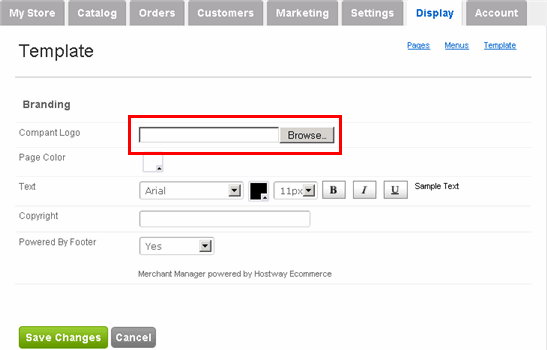
Add your company logo:
Adding your company logo or image is the first step to branding your store. We suggest that you experiment with the size of the image to determine the best fit.
Add your company logo:
|
1 |
Click Display tab along the top, followed by the Template submenu option. |
|
2 |
In the subsequent Template page,
click Browse button. |
|
3 |
Locate the logo image file in your computer and click Open. |
|
4 |
Click Save Changes. |
|
5 |
Click View Your Store on the right side to verify that your logo appears at the top of the store. |